FiOS is a fleet management system to track private vehicles and commercial fleets. Among other things, the system offers the “Geofences” module to track vehicle activity within or outside certain territories.
This video explains how to:
- Create a geofence – the restricted territory on the map - Configure a geofence – select color, type, radius - Mark long roads with geofences - Create geofences from vehicle tracks - Use geofences to solve real-life tasks
Geofences are colored areas on the map. You can use them to mark cities, districts, delivery zones, construction sites, roads, parking, dangerous areas, and any other point of interest.
This video shows how to display geofence names on the map. By the name, you'll instantly understand what area or point of interest the geofence represents.
HAZER is the IoT platform to monitor sensors installed in buildings and vehicles. You can track sensor values in real-time or in reports. HAZER can automatically send reports to your email. This video explains how to schedule reports, including:
How to view scheduled reports? How to enable and disable scheduled reports? How to create scheduled reports for one or multiple sensors? How to create a detailed schedule?
Need more information? Request a live demo via the chat in the lower right corner.
HAZER is an IoT platform that allows managing moving and stationary assets through sensors. The platform is used in Healthcare, Production, Hospitality, Transportation, and other areas. Companies globally can use HAZER under their own brand. This video explains how to do this.
Need more information? Request a live demo via the chat box in the lower right corner.
HAZER is the IoT platform to track sensors and counters. You can monitor thousands of sensors of any type on your laptop in real-time. To work with such volumes of IoT data efficiently, you will need a proper user hierarchy. This video explains:
- How to create a new user? - The difference between manager and operator user types. - Which user settings are important to keep HAZER running smoothly?
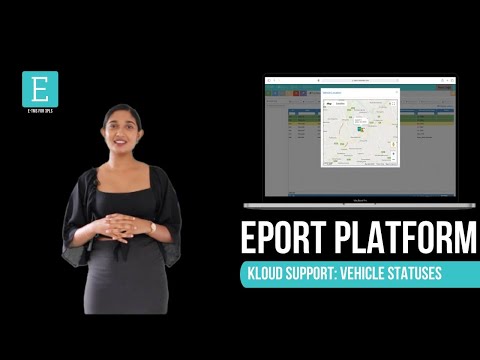
EPORT is the platform for 3PL service providers allowing them to take full-cycle logistics under control.
In EPORT, customers place orders and track delivery progress, while a logistics company accepts them, assigns orders to vehicles, and manages the delivery process.
This video explains how to detect the already assigned vehicles when selecting a transport for a new order.
For more information or a live demo, contact us via the website.
GOFER is an Uber-like platform designed to manage company transport and business rides remotely. The solution comprises a web interface and mobile apps for drivers, dispatchers, and managers.
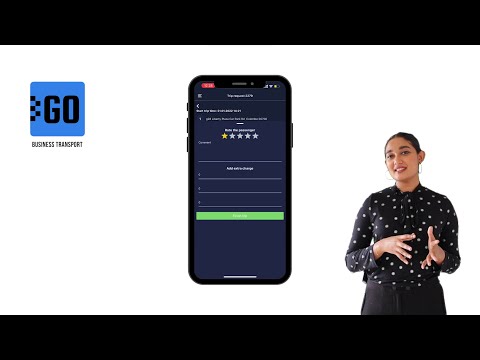
This video explains how to use the mobile app for drivers:
✅ Log in to the app; ✅ View driver profile, trip requests, and earnings; ✅ Receive new requests from employees; ✅ View routes to the destination; ✅ Communicate with passengers and rate them at the end of the trip; ✅ Confirm or reject trips; ✅ Change trip statuses – waiting for a passenger, on the way, etc.; ✅ Log additional expenses, like highway tickets or emergency maintenance; ✅ Track driver earnings for any period.
Let us know if you want to make a company car booking as simple as requesting a taxi. We’ll schedule a free trial for your company:
GOFER is an Uber-like platform for company transport and business ride management. It comprises a web version and mobile apps for drivers, dispatchers, and managers.
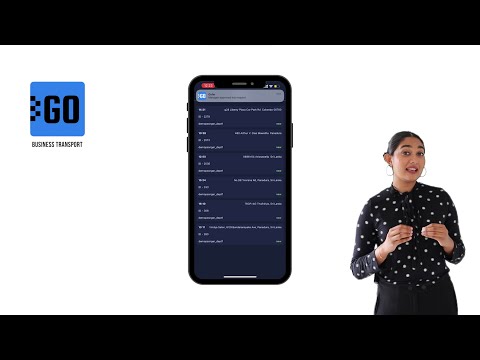
This video explains how to use the mobile app for dispatchers:
✅ View all trip requests approved by a manager; ✅ Check the trip details and assign a vehicle to it; ✅ Edit the requests subject to the emerging requirements.
GOFER is the software to manage business rides and employee transport. It simplifies the life of all users and managers of the company cars:
- One-click car booking for employees - Car usage analytics for fleet managers and dispatchers - Payments per miles and trips for drivers - Employee work time monitoring outside the office for managers
This video explains how GOFER can help managers control their employees in business trips:
- Confirm or reject car requests - View business trip details - Add comments to each trip
Need more information? Request a live demo via the chat in the lower right corner and or learn more on https://www.kloudip.com/gofer.